 Snake Rush
Home › Guide
Snake Rush Guide
Everything you need to know about Snake Rush: how to play, how to put the game on your phone or computer like an app, and how to make it yours.
1. How to play Snake Rush
The goal
Steer your snake to the food. Every bite gives you points and makes the snake longer. Don't crash into a wall, a rock or your own body. The longer you last, the higher your score.
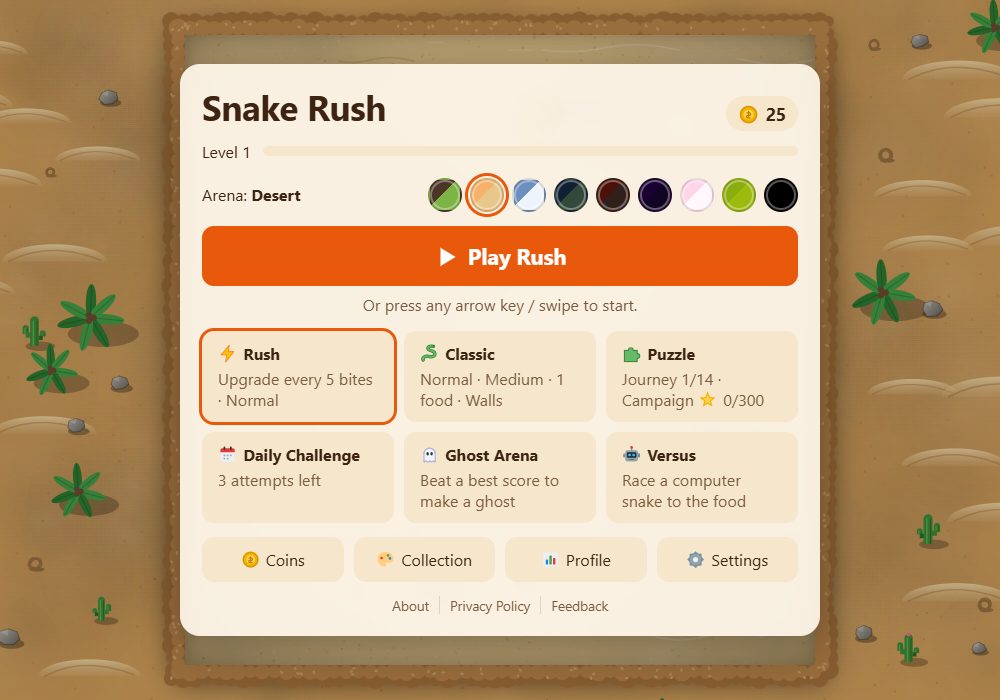
To start, press ▶ Play on the home screen, or just press an arrow key or swipe. The snake waits until you choose a direction.
Controls on a computer
| Key | What it does |
|---|---|
| ← ↑ → ↓ or W A S D | Turn the snake |
| Hold an arrow key | Speed up while you hold it |
| Space, P or Esc | Pause (Space again to go on) |
| R | Start the run again |
| Z or Backspace | Undo your last move (Campaign puzzles only) |
During a game, the bar at the top also has buttons: ↻ restart, ⚙️ settings, ⌂ back to the home screen and ⏸ pause.
Controls on a phone or tablet
- Swipe anywhere on the game in the direction you want to go. You can swipe again without lifting your finger.
- Keep your finger down after a swipe to speed up.
- Prefer buttons? Turn on the On-screen D-pad in ⚙️ Settings → Controls. Four arrow buttons (▲ ◀ ▶ ▼) appear on the screen.
- In Campaign puzzles, use the ↶ button to undo a move and ↻ to restart the level.
Food, combos and points
- Each bite of food is worth 10 points.
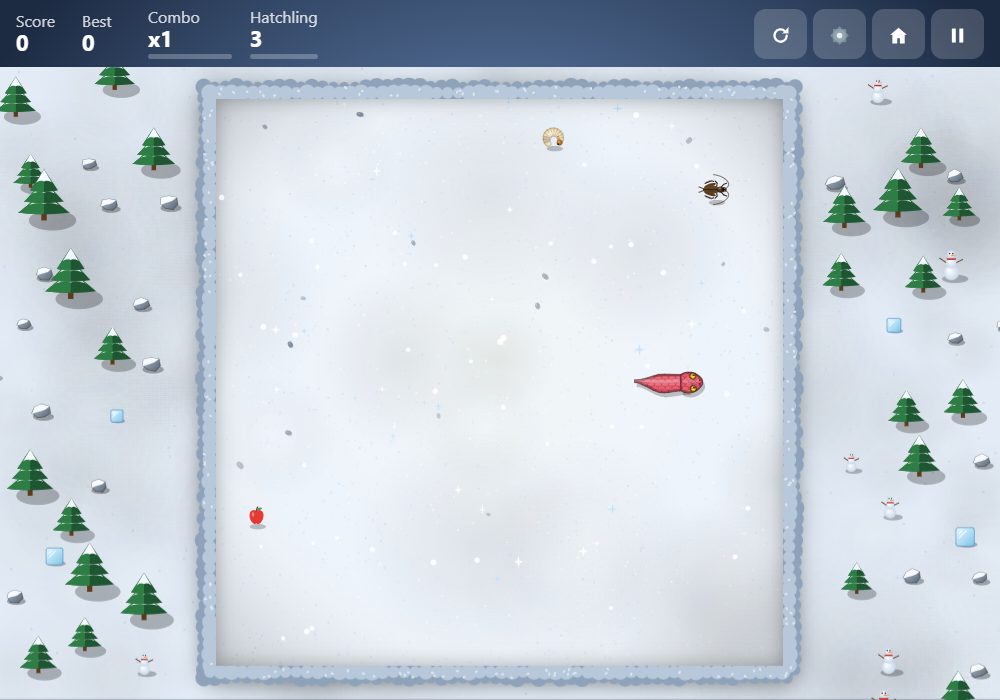
- Combos: eat the next bite within 3 seconds and your points multiply: ×2, then ×3, then ×5. The bar under Combo shows how much time you have left.
- Golden food appears after every 10 bites and stays for only 5 seconds. Catch it for 50 points.
- Near-misses: slipping right past a wall, a rock or your own body without touching it counts as a near-miss. It gives no points, but it counts for missions and achievements.
- Bonus pickups (Classic and Puzzle): after every 8 bites, a pickup may appear for 8 seconds. 🛡️ Shield saves you from one crash, 👻 Ghost lets you pass through your own body, 🐢 Slow-mo slows everything down, 🧲 Magnet pulls food toward you and ✨ Double points doubles every bite. Each one lasts 5 or 6 seconds.
A living snake
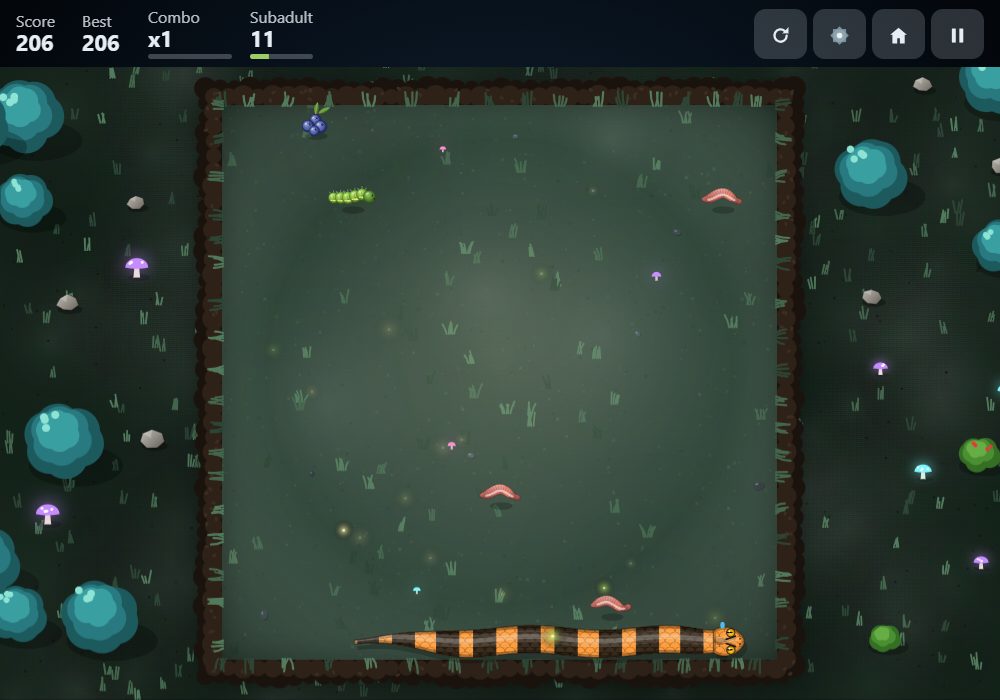
With Life cycle switched on (it is on at the start), your snake grows up as it gets longer: from hatchling to adult. It sheds its skin, and a grown-up, well-fed snake lays a nest of eggs. The eggs hatch into small wild snakes. Wild snakes can't hurt you, but they eat food too.
Crashing and reviving
When your snake crashes, you can pay coins to ❤️ Revive. The game goes back 3 seconds and you keep your score and length. The first revive costs 🪙 100, the second 🪙 250 and the third 🪙 500. You can revive up to 3 times in one run. Press No thanks to end the run.
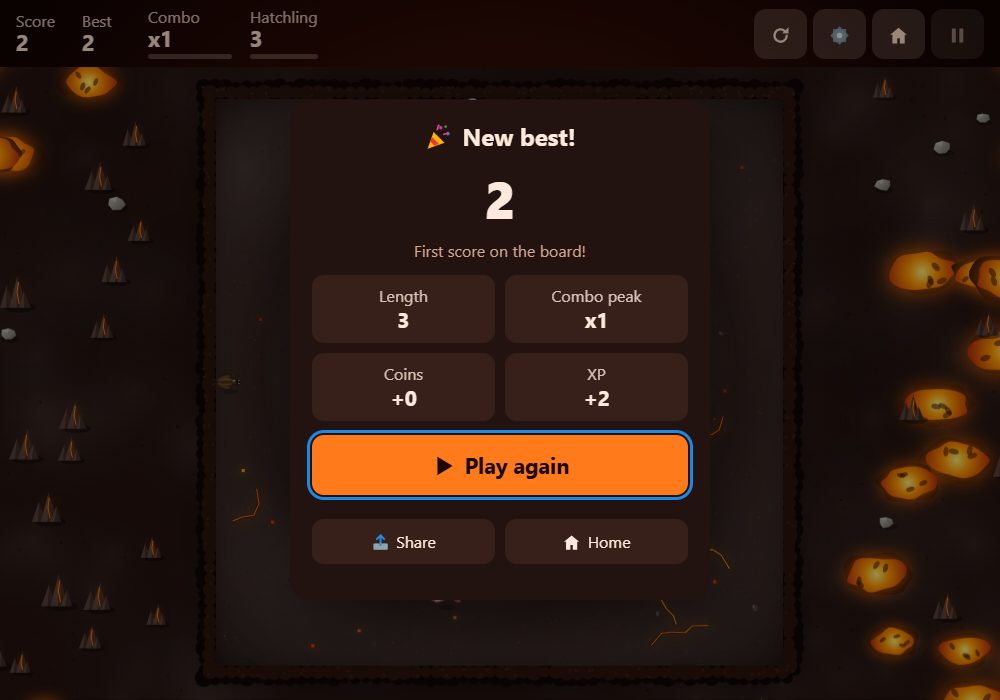
At the end of a run you see your score, your coins and the XP you earned. XP raises your level.
Closed the game in the middle of a run? Next time, press ▶ Continue your run on the home screen.
The game modes
⚡ Rush. Every 5 bites, three upgrade bubbles appear on the board. Steer into the one you want; the others vanish. The game never stops, and bubbles nobody eats fade after 10 seconds. Every 25 bites, a red risk bubble appears: eat it to accept a danger, like poison food or the lights going out, for a higher score multiplier (×1.5 to ×2). The snake speeds up a little every 5 bites, and the walls are always solid. More about Rush
🐍 Classic. The Snake you know. You choose the speed, board size, how much food there is, and whether the walls stop you or let you come out on the other side. More about Classic
🧩 Puzzle. Three kinds of puzzles, played at a slightly slower speed. More about Puzzle
- 🗺️ Journey: travel through 14 arenas full of obstacles. Eat the target number of bites and a hole opens. Slither into it to reach the next arena. Each arena needs more bites and is a bit faster. Your score carries on.
- 🧠 Campaign: 100 step-by-step puzzles in 5 worlds (Garden, Lock & Key, Warehouse, Portals and Gravity). The snake moves one cell each time you press a key, and nothing moves until you do. Clear a level in fewer moves to earn up to 3 stars.
- 🏟️ Arena Challenge: pick an arena and survive as long as you can.
📅 Daily Challenge. One new board every day, the same for every player in the world. It uses Rush rules and today's list of upgrades. You get 3 attempts and your best score counts. A new challenge starts at midnight UTC. Play every day to build a streak: you earn coins at 3, 7 and 30 days, and every 7 days in a row gives you a ❄️ streak freeze that saves your streak if you miss a day. The Daily screen also shows today's 3 missions, worth 🪙 30 each. You can swap one mission per day. More about the Daily Challenge
👻 Ghost Arena. When you set a new best score in Classic, Rush or the Daily Challenge, the game records that run as a ghost. Pick a ghost to race it on the same board: a see-through snake replays your old run move for move. Score more than the ghost to win up to 🪙 25: 1 coin for every 10 of the ghost's points. Ghosts under 200 points pay no coins, and each ghost pays only once.
🤖 Versus. Race a computer snake to the same food. The first snake to eat 15 bites wins. You can slide over the other snake's body, but if your heads meet, you both crash. Choose Easy (win 🪙 10), Normal (🪙 25) or Hard (🪙 50).
2. Install Snake Rush as an app
Installing puts a Snake Rush icon on your phone or computer. It opens straight into the game, full screen, and works offline. The app keeps the same coins and progress as the browser you installed it from. Each browser keeps its own coins, so install it from the browser you play in most.
iPhone / iPad, Safari
Open snakerush.org in Safari → tap Share (square with an arrow pointing up, bottom of the screen) → scroll down → Add to Home Screen → Add
iPhone / iPad, Chrome, Edge or Firefox
Open snakerush.org → tap Share (square with an arrow, in or next to the address bar) → Add to Home Screen → Add
Needs iOS 16.4 or newer. If you don't see it, use Safari.
Android, Chrome
Open snakerush.org in Chrome → tap the menu ⋮ (three dots, top right) → Add to Home screen or Install app → Install
Android, Samsung Internet
Open snakerush.org → tap the menu ☰ (bottom right) → Add page to → Home screen
Windows / Mac / Linux, Chrome
Open snakerush.org in Chrome → click the menu ⋮ (three dots, top right) → Cast, save and share → Install page as app → Install
Shortcut: the small install icon at the right end of the address bar.
Windows / Mac / Linux, Edge
Open snakerush.org in Edge → click the menu … (three dots, top right) → Apps → Install this site as an app → Install
Windows, Firefox (version 143 or newer)
Open snakerush.org → click the web apps button in the address bar → confirm
Mac, Safari (macOS Sonoma or newer)
Open snakerush.org in Safari → menu bar File → Add to Dock → Add
Firefox on Mac or Linux
Not possible yet. Use Chrome, Edge or Safari.
Desktop shortcut on Windows
After installing, open the Start menu → find Snake Rush → drag it onto the desktop.
Browsers sometimes rename these menu items. If a name looks a little different, look for the closest match.
3. Make the game yours
Opening Settings
Press ⚙️ Settings on the home screen. During a game, press ⚙️ in the top bar: the game pauses while Settings is open. Every change is saved right away. Press Done to go back.
Gameplay (applies from your next run)
| Setting | What it does | Choices | At the start |
|---|---|---|---|
| Speed | How fast the snake moves. Puzzle runs a little slower than the speed you pick. | 1 · Very slow to 7 · Very fast | 4 · Normal |
| Board size | How big the board is, in Classic, Rush and Versus. | Tiny 7×7, Small 15×15, Medium 21×21, Large 29×29, Huge 37×37 | Medium 21×21 |
| Food | What the snake eats. | Natural mix (worms, insects, eggs, berries, fruit) or Fruit only | Natural mix |
| Life cycle: eggs & hatchlings | Your snake grows up, sheds, lays eggs, and wild snakes hatch. | On or off | On |
| Bonus pickups | Timed pickups like Shield and Magnet, in Classic and Puzzle. | On or off | On |
| Food on board | How many pieces of food are out at once, in Classic and Puzzle. Rush always has 1. | 1, 3 or 5 | 1 |
| Walls | On: hitting the edge ends the run. Off: the snake comes out on the other side. Classic only. | On or off | On |
| Peaceful | A crash only stops the snake; choose a new direction to go on. The run ends only if the snake is completely boxed in. Peaceful is practice: it earns no coins, XP, best scores or leaderboard places. Classic and Puzzle. | On or off | Off |
| Input buffer | Remembers 2 quick turns pressed one after the other, so fast U-turns work. | On or off | On |
| Hold a direction to speed up | Holding a key, a D-pad button or your finger makes the snake go faster. | On or off | On |
Look
- Theme: the arena's look. Choose from Garden, Desert, Snowfield, Night forest, Volcano, Neon, Pastel, Retro Phone and High contrast. Garden is the first one. You can also tap the coloured circles next to Arena on the home screen. Puzzle arenas, Campaign worlds and the Daily Challenge have their own look.
- Grid lines: show the squares of the board. Off at the start.
- Fruit: which fruit is drawn when the food is fruit: Apple, Orange, Lemon, Grapes, Strawberry, Cherries, Peach, Watermelon, Kiwi or Banana. Apple at the start.
Sound
- Music volume and Effects volume: slide to make them louder or quieter.
- Mute: turns all sound off.
Controls
- Swipe sensitivity (1 to 5, 3 at the start): higher means a shorter swipe is enough to turn.
- On-screen D-pad: shows four arrow buttons for phones and tablets. Off at the start.
- Haptics: small vibrations when things happen, on phones that support it. On at the start.
Accessibility & language
- Reduce motion: turns off screen shake, confetti, bursts and the slow-motion moment when you crash. At the start it follows your device's own setting.
Shuffle and Reset
- 🎲 Shuffle picks a random speed, board size, food amount, walls, theme, fruit and grid lines. A quick way to try something new.
- ↺ Reset to defaults puts every setting back to how it was at the start.
Make it easier or harder
| Setting | Easier | Harder | Works in |
|---|---|---|---|
| Speed | Lower (1 · Very slow) | Higher (7 · Very fast) | Classic, Rush, Puzzle, Versus |
| Board size | Bigger board: more room | Tiny board: very little room | Classic, Rush, Versus |
| Food on board | 3 or 5: food is always close | 1 | Classic, Puzzle |
| Walls | Off: wrap around the edges | On | Classic |
| Peaceful | On: crashes only stop the snake (practice: no coins or records) | Off | Classic, Puzzle |
| Input buffer | On: quick turns are remembered | Off | All modes except Campaign |
| Hold a direction to speed up | Off: no speeding up by accident | On | All modes except Campaign |
| Bonus pickups | On: Shield, Slow-mo and more help you | Off | Classic, Puzzle |
| Life cycle | Off: no wild snakes taking your food | On | Classic, Rush, Puzzle |
The Daily Challenge is the same for everyone, so it ignores these settings. Only Input buffer and Hold a direction to speed up still work there. Ghost Arena races use the same settings as the ghost's original run.
Best scores: your best scores are kept separately for each mode, speed and board size. Other settings, such as Walls or the amount of food, don't get their own best score. Peaceful runs are practice: they earn no coins or XP and set no best scores.
🎨 Collection
Press 🎨 Collection on the home screen. It has two tabs.
Skins change how your snake looks. Tap a skin you own to wear it: it then says Equipped.
- Free from the start: Classic and 6 wild species (Grass Snake, Olive Whipsnake, Brown Water Snake, Sand Boa, Grey Rat Snake and Garter Snake). Their markings grow stronger as your snake grows up and sheds.
- Bought with coins: 20 skins, from 🪙 130 (Forest, Ruby, Sunflower) to 🪙 1,950 (Gold). Tap a skin you can afford once to see "Tap again to buy", then tap it again to buy it and put it on.
- Won by levelling up: 9 skins that unlock by themselves at levels 5, 10, 15, 20, 25, 30, 35, 40 and 50. A locked one shows the level it needs.
Upgrades are the bubbles you choose from in Rush. 13 upgrades are in the game from the start. The Upgrades tab has 9 more that you can buy with coins. Buying one also takes two taps. A bought upgrade joins the Rush pool, so it can show up as one of the three bubbles. You still pick it during a run.
| Upgrade | What it does | Cost |
|---|---|---|
| 🪙 Coin rush | +50% coins this run | 🪙 300 |
| 🌧️ Fruit rain | 3 extra pieces of food appear for 10 seconds | 🪙 400 |
| 🌶️ Hot streak | Once your combo reaches ×2, it never drops below ×2 | 🪙 450 |
| 💨 Dash | Double-tap your direction to jump 2 cells | 🪙 500 |
| 👑 Gold touch | Golden food scores 150 instead of 50 | 🪙 600 |
| 🧵 Thin body | Your head passes through every other body segment | 🪙 800 |
| ✂️ Tail trim | Golden food trims 3 segments off your tail (never below 3) | 🪙 900 |
| 🌪️ Vacuum | Eating food also eats all other food within 2 cells | 🪙 1,000 |
| 🛟 Lifeline | One cell before a crash, the snake turns to safety by itself (once) | 🪙 1,200 |
📊 Profile
Press 📊 Profile on the home screen.
- Nickname: the name shown on your leaderboard. Up to 16 letters, numbers, spaces, - and _. Rude words are hidden with stars.
- Stats: your level, coins, runs, food eaten, longest snake, best combo, eggs, hatchlings, near-misses and time played.
- Achievements: 40 goals, like eating 1,000 bites or reaching level 20. Each one pays coins, and a bar shows how close you are.
- Personal bests: your best score for each mode, speed and board size, plus Journey, each Arena and each Versus level.
- 🏆 Leaderboard: your top scores in Rush, Classic, the Daily Challenge and the Journey, for today, this week or all time. These are the scores played in this browser.
Move your progress to another browser or device
Your progress is saved only in the browser you play in. It is not saved online. If you clear that browser's data, your progress is gone, unless you kept a backup code.
- Open 📊 Profile and scroll down to Back up your progress.
- Press 📋 Copy my code. A long code appears in the box and is copied.
- Send the code to yourself, for example by email or in a notes app.
- On the other browser or device, open snakerush.org, then 📊 Profile.
- Paste the code into the box under Back up your progress.
- Press 📥 Load code, then press it again within 5 seconds when it says ⚠️ Tap again to replace your progress.
The code includes your coins, level, skins, bought upgrades, settings, best scores, stats, achievements, leaderboard scores, nickname, Daily streak and missions, Journey and Campaign progress, ghosts and Versus wins. A run you haven't finished is not included.
Codes are protected: a code changed by hand can't be loaded. Codes made before 31 October 2026 can't be loaded either, so make a new one.
Careful: loading a code replaces all the progress in that browser. It does not add the two together. Changed your mind? Right after loading, the code for the progress you just replaced is in the box. Copy it and keep it if you might want it back.
🪙 Coins
Your coins are shown at the top of the home screen. Press 🪙 Coins to see how to earn them.
Ways to earn coins:
- Every run: 1 coin for every 50 points.
- 🎁 A daily reward of 25 coins the first time you open the game each day.
- Levelling up: 5 coins × your new level (on levels that don't unlock a skin).
- Finishing a Journey arena for the first time: 10 coins for the first arena, 15 for the second, 20 for the third, and so on.
- 5 coins for each new Campaign star.
- Missions (🪙 30 each), achievements, and Daily Challenge streaks.
- Beating a ghost (up to 🪙 25) or the computer in Versus (🪙 10 to 50).
Ways to spend coins: ❤️ revives after a crash, skins and upgrades in the 🎨 Collection.